
Courses
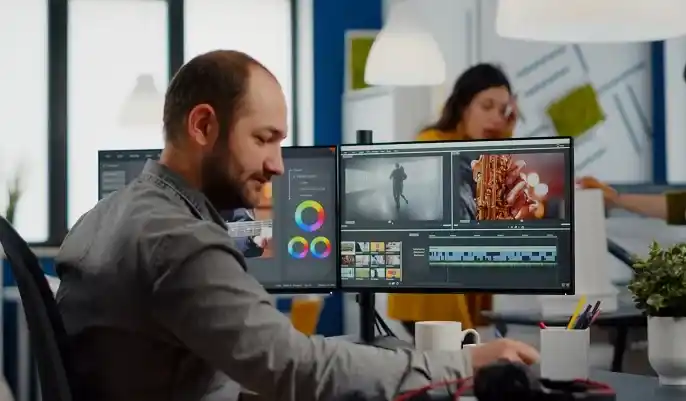
Content creation in 2026 looks very different from just a few years ago. With millions of solo creators, freelancers, and small businesses producing daily content, the demand for fast, high-quality visuals, graphics, and written materials has never been higher. This shift has made content creation AI a core part of modern digital work. Instead of spending hours designing graphics, editing videos, or drafting posts, creators now rely on AI tools to produce professional results in minutes — even with limited experience.
A major driving force behind this trend is the huge rise in solo creators and small businesses. Many work with tight budgets and small teams, meaning they need tools that save time without compromising quality. AI supports them by offering quick templates, automated design suggestions, and instant content drafts that can be refined with just a few clicks.
Another reason AI has become essential is speed. Faster production thanks to content creation AI allows creators to publish consistently, stay visible online, and keep up with competitive digital platforms. Whether it’s generating captions, resizing visuals, colour-correcting videos, or drafting blog sections, AI drastically reduces the manual workload.
Equally important is the way AI improves visual quality without technical skills. Tools for image enhancement, background removal, video upscaling, and template-based design mean beginners can produce work that previously required professional training.
Finally, the increasing availability of free AI graphic tools and editors has levelled the playing field. Anyone can now access user-friendly apps to create polished thumbnails, social media posts, illustrations, and short videos — often at no cost.
Enrol Now – Study Online from Anywhere
With so many free AI content tools available in 2026, choosing the right ones can feel overwhelming. Whether you’re a beginner, a solo creator, or a small business owner, the key is to focus on tools that genuinely make your workflow easier, faster, and more enjoyable. Not all AI platforms offer the same level of quality or accessibility, so understanding what to look for will help you avoid frustration and get the best results from the start.
The best free AI tools should feel intuitive from the moment you open them. Look for:
If a tool requires advanced editing skills or feels overwhelming, it’s unlikely to support your growth. A good content creation AI platform empowers you to produce quality work even if you’re just starting out.
A tool is only useful if the results look professional. Prioritise platforms that offer:
High-quality outputs reduce the amount of manual editing needed, saving time while maintaining a polished look.
Most free AI tools offer a generous basic version, but some lock essential features behind paywalls. Before committing to a platform, check:
Aim for tools where the free AI graphic tools tier covers everyday needs, with premium options available only when you’re ready to scale.
Smooth integration can save hours each week. Look for tools that connect easily with:
Strong integration ensures your workflow feels seamless, allowing you to publish, share, or edit content without constant downloading and re-uploading.
Learn at Your Own Pace – Begin Free
The landscape of free AI graphic tools has transformed dramatically in 2026. Creators, small businesses, and beginners can now produce studio-quality visuals without specialist design skills or expensive software. From thumbnails and banners to product images and AI artwork, today’s tools are faster, smarter, and more accessible than ever. Below is an overview of the best categories of tools to explore, helping you choose the right platforms for your creative needs.
Thumbnails and banners remain essential for YouTube, blogs, and social platforms — and AI tools now make the process effortless. The best platforms offer:
Tools in this category help even beginners produce professional visuals that boost click-through rates and brand visibility. They’re ideal for creators who want polished results without learning complex design software.
AI photo enhancement tools are incredibly popular thanks to their ability to transform average photos into high-quality images instantly. Key features to look for include:
These tools allow users with no editing experience to create clean, professional images suitable for websites, social posts, and marketing materials.
AI art generators have rapidly become a staple for creators who need original graphics, concept art, or illustrations. Free versions now offer:
Whether you’re building brand assets or creating visuals for storytelling, these tools unlock limitless creativity with minimal effort.
For e-commerce sellers and small businesses, AI-powered product imaging tools are a game changer. They deliver:
These tools help brands create consistent, professional product visuals that improve customer trust and increase sales — all without hiring a graphic designer.
Earn a Recognised CPD/QLS Certificate
Video content continues to dominate digital platforms in 2026, and the rise of short-form videos, reels, and social media ads has pushed creators to look for faster, smarter editing solutions. Fortunately, AI video editing tools have evolved to make high-quality video production accessible to complete beginners. These tools automate complex editing tasks, tidy up audio, generate captions, and even create full videos from scripts. Below, we explore the best categories of free and beginner-friendly AI video editors available this year.
Auto-editing tools for short-form videos
Short-form video creation has exploded thanks to platforms like TikTok, YouTube Shorts, and Instagram Reels. Auto-editing tools now allow creators to produce polished clips in minutes. Key features include:
These tools are ideal for solo creators, small businesses, and anyone who wants to publish engaging content regularly without mastering traditional editing software.
AI tools for captions, subtitles, and translations
Accessible content is essential in 2026, and AI captioning tools make it effortless to add subtitles to videos automatically. The best platforms offer:
Captions not only improve accessibility but also boost watch time, especially on muted autoplay platforms. This makes AI captioning tools a must-have for creators looking to expand their reach.
Tools for audio clean-up and background noise removal
Clear audio is just as important as strong visuals. AI sound-editing tools help beginners quickly fix audio problems such as:
With one-click enhancement, these tools ensure your videos sound professional even if you record on a basic microphone or in a non-studio setting. They’re perfect for tutorials, product demos, interviews, and voiceovers.
AI video creators for social media ads and reels
For those who need videos created from scratch, AI video generators offer a powerful shortcut. These tools allow you to produce complete, ready-to-publish videos using:
They are especially useful for small businesses running social media ads, influencers creating branded reels, or freelancers offering video services without advanced editing skills.
Gain Recognition from UK-Endorsed Programs
Social media in 2026 moves incredibly fast, and creators need smart tools to keep up. Whether you’re running a personal brand, managing a business page, or supporting clients as a freelancer, the right AI social media tools can save hours each week. They help you write captions, schedule posts, analyse performance, and plan fresh ideas — all without needing specialist marketing experience. Below, we explore the essential categories of tools that every creator should consider using this year.
Caption generators and post schedulers
Writing captions daily can be time-consuming, but AI caption generators make the process effortless. They help by:
Pairing this with AI-driven scheduling tools allows creators to upload a week’s content in minutes, with automated posting at peak engagement times. This reduces stress and supports consistent publishing — vital for growth across all platforms.
AI hashtag and keyword finders
Visibility matters, and AI-powered hashtag finders help your content reach the right audience. The best tools offer:
Using these tools also helps small businesses and new creators avoid guesswork, making their posts more discoverable without needing marketing expertise.
Tools for analysing engagement and trends
Understanding what works — and why — is essential for long-term success. AI analytics platforms give creators deeper insights by tracking:
This allows you to refine your content strategy, focus on what performs best, and stop wasting time on posts that don’t resonate.
AI-driven idea generators for content calendars
When inspiration runs dry, AI can help. Idea-generation tools provide:
These tools are incredibly useful for creators and small businesses juggling multiple responsibilities. By turning simple prompts into structured content plans, they make consistent posting easier and more enjoyable.
Which Content Creation Tasks Can AI Automate in 2026?
AI has become an essential companion for creators, marketers, and small businesses in 2026, taking over many of the repetitive or time-consuming parts of the creative process. Instead of replacing creativity, AI enhances it — giving you more time to focus on strategy, storytelling, and personal branding. Understanding which tasks AI can automate helps you work faster, stay consistent, and produce higher-quality content with less effort. Below are the core areas where content creation AI now makes the biggest impact.
Editing and polishing visuals
AI can now handle the bulk of visual refinement, making professional-looking graphics and photos accessible to complete beginners. Tools automate:
This level of automation means you no longer need advanced design skills to create polished visuals for social media, websites, or brand campaigns. A few clicks are often enough to transform raw images into high-quality assets.
Generating creative ideas and concepts
Stuck for inspiration? Modern AI tools excel at idea generation. They can:
These capabilities help creators overcome creative blocks and plan content that feels relevant, fresh, and engaging. AI acts as a collaborative partner, offering endless ideas while you refine the direction.
Planning and scheduling posts
Time management is a major challenge for creators, but AI automation streamlines the entire content planning process. AI can now:
This makes it easier to stay organised, maintain regular posting habits, and manage multiple platforms at once — a huge benefit for solo creators and small teams.
Repurposing long content into short media
Repurposing is one of the most powerful uses of AI in 2026. Instead of recreating content from scratch, AI helps you turn one long piece into several high-performing formats. For example, AI can convert:
This not only saves hours but also ensures your best content reaches different audience segments in the formats they prefer.
Explore Professional Development Courses
With so many free AI tools available in 2026, creators often wonder whether these platforms are strong enough for professional-level work. The short answer: yes — in many cases, free tools provide everything you need to produce polished, engaging, and high-performing content. However, there are moments when upgrading to a premium plan can unlock features that streamline your workflow or elevate your brand. Understanding the strengths and limitations of free tools helps you make informed decisions without overspending.
When free tools are more than enough
For most beginners, solo creators, or small businesses, free AI tools offer more than enough to create professional content. Many platforms now include:
These features cover the majority of day-to-day tasks, meaning you can design, edit, and publish polished content without spending a penny. Free plans are also ideal for learning how content creation AI works before committing to a subscription. If you’re creating social posts, standard visuals, or short videos, free tools are usually more than sufficient.
When upgrading may be worth it
There are situations where a premium upgrade offers genuine value. You may benefit from upgrading if you need:
Professionals working with clients, growing businesses, or high-volume content creators often find these expanded features worthwhile. Upgrading can also save significant time if your workflow requires consistent branding or large batches of content.
If you’re excited to create better graphics, videos, or social media content but feel unsure where to begin, you’re not alone. Thousands of beginners in 2026 are discovering just how accessible digital content creation has become thanks to AI tools. You no longer need advanced design knowledge or years of marketing experience — just curiosity, creativity, and the right guidance. Whether you want to build visuals for your brand, improve your social media presence, or start freelancing, learning how to use AI effectively can open the door to endless opportunities.
AI makes digital creation easier by automating complex tasks, offering instant design suggestions, and helping you work faster with less effort. But having a clear learning pathway boosts your confidence and ensures you’re using these tools strategically, not just experimenting without direction. Beginner-friendly routes include:
By taking small steps and building the right foundations, you can quickly develop professional-level skills — even if you’re starting from scratch. This brings us to the final section, where we wrap up the guide and help you take the next step on your digital content journey.
Find CPD Courses Relevant to Your Industry
With so many free AI content tools available in 2026, it’s natural to have questions about safety, reliability, and whether these platforms can support professional-level work. Below are clear, beginner-friendly answers to the most common FAQs from creators and small businesses exploring AI-powered design, video editing, and social media tools.
Are free AI graphic tools safe to use?
Yes — most reputable free AI graphic tools are safe, as long as they come from well-known platforms with transparent privacy policies. Always check how your data and images are stored, and avoid tools that request unnecessary permissions. Sticking to trusted brands or tools recommended by professionals reduces the risk of data misuse. Free tools may have limitations, but safety is rarely one of them when you choose wisely.
Which AI video editing tools work best for beginners?
Beginner-friendly AI video editors are those that automate complex tasks like cutting clips, generating captions, or stabilising footage. The best tools offer:
Most beginners find these features more than enough to produce engaging videos without learning traditional editing software.
Can AI social media tools grow my account faster?
AI tools don’t magically grow accounts, but they do help you work smarter and more consistently — two major factors in audience growth. They support your success by:
While you still provide the creativity and personal touch, AI removes much of the guesswork, helping your content perform better overall.
Do these tools work on mobile and desktop?
Most modern AI content tools are designed for both mobile and desktop use. Mobile apps are ideal for quick edits, social scheduling, and on-the-go publishing. Desktop versions typically offer larger workspaces and more advanced features. Many creators use both: mobile for speed, desktop for more detailed visual work. Check each tool’s compatibility before committing to it.
Can AI fully replace manual editing?
Not entirely — and that’s a good thing. AI can automate repetitive tasks and provide strong first drafts, but manual editing is still essential for:
Think of AI as a helpful assistant: it speeds up production, but your judgement shapes the final outcome.
AI has transformed the world of digital creation, giving everyone — from beginners to professional creators — the tools to produce high-quality content quickly and confidently. In 2026, the best AI video editing tools, AI social media tools, and free AI graphic platforms allow you to edit videos, design visuals, plan posts, analyse engagement, and streamline entire workflows in just a few clicks. These tools remove the technical barriers that once held people back, making creative work more accessible, flexible, and enjoyable than ever.
If you’re just starting out, try experimenting with several free AI tools to see which ones fit your style and goals. Each tool has unique strengths, and learning how they work together can dramatically improve your efficiency and content quality. Whether you're creating thumbnails, polishing videos, scheduling social content, or brainstorming ideas, AI gives you a powerful advantage — helping you create more, stress less, and stay competitive in a fast-moving digital landscape.
Explore More Topics in Our Blog Section