
Courses
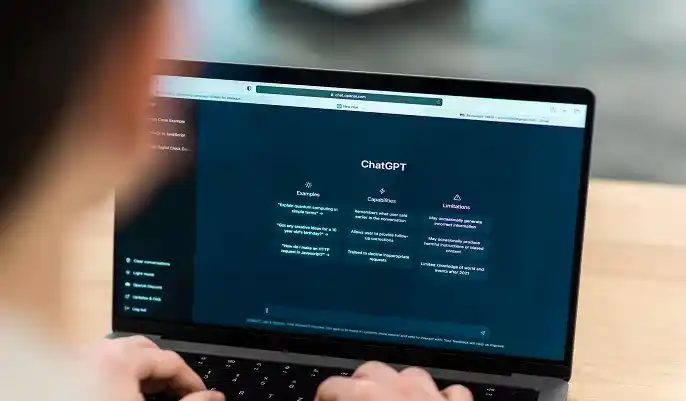
For anyone starting out with AI, ChatGPT remains one of the most accessible and beginner-friendly tools available in 2026. You don’t need technical knowledge, advanced writing skills, or special software — just a question, a goal, or a simple idea. Its intuitive design makes ChatGPT a powerful starting point for students, freelancers, small businesses, and everyday users looking to save time and improve their work.
One of the biggest advantages is accessibility and ease of use. Unlike complex digital tools, ChatGPT works through natural conversation. You type, it answers. This simplicity helps beginners experiment confidently, whether they’re writing emails, creating social posts, planning events, or learning new skills.
Even everyday tasks become easier with AI. You can use ChatGPT to:
These time-saving features make it a helpful personal assistant as well as a productivity tool.
A key skill in 2026 is understanding how structured ChatGPT prompts improve clarity and results. Well-designed prompts help the AI understand your goal, produce accurate responses, and follow the style you want. This is why prompt literacy has become an important digital skill — one that employers increasingly value across marketing, education, customer support, and admin roles.
This foundation prepares beginners for the next section, where we look at which tasks ChatGPT can automate most efficiently in 2026.
Join Thousands of Learners Worldwide
Writing a strong ChatGPT prompt is one of the most valuable digital skills you can develop in 2026. Good prompts help the AI understand what you want, how you want it written, and the level of detail required. Whether you're creating content, studying, planning a project, or improving everyday workflows, effective prompting ensures clearer, faster, and more accurate results. Below, we break down the key elements of what makes a great prompt — and why simplicity often wins.
A great prompt tells ChatGPT exactly what you’re trying to achieve. The more clearly you explain the task, the better the output will be. Strong prompts usually include three parts:
For example, “Summarise this article for a beginner audience in three short paragraphs” gives ChatGPT far more direction than “Summarise this.”
Another effective technique is guiding the AI by assigning a role and describing the tone you prefer. You can ask it to act as a tutor, researcher, marketer, designer, or mentor. Adding constraints helps refine the output further, such as:
These simple instructions produce more polished and relevant responses — especially for content creation, study tasks, or professional writing.
Many beginners assume great prompts must be long or complicated, but the opposite is true. The most effective prompts are simple, specific, and easy to follow. They give clear direction without overwhelming the AI. A good rule of thumb is: tell ChatGPT what you want, how you want it, and why you need it.
This approach leads to predictable, high-quality results and helps beginners build confidence quickly.
Learn at Your Own Pace – Begin Free
To help you get the most out of ChatGPT, here are 50 beginner-friendly prompts organised by skill and use-case category. These prompts are designed to be simple, clear, and effective — perfect for anyone learning how to use ChatGPT for beginners in 2026. You can copy, paste, and customise any of them to fit your needs.
1. Prompts for Learning Faster
Study help, explanations, revision guides — ideal for students and beginners.
2. Prompts for Productivity & Organisation
Planning, time management, clear priorities.
3. Prompts for Critical Thinking & Problem-Solving
Logic, analysis, structured thinking.
4. Prompts for Personal Development
Confidence, habits, motivation, goals.
5. Prompts for Creative Projects
Story ideas, brainstorming, writing inspiration.
6. Prompts for Career & Job Search
CV support, interview prep, skill-building.
7. Prompts for Communication & Writing Skills
Email drafting, tone improvement, rewriting.
8. Prompts for Business, Marketing & Strategy
Customer insights, branding, content planning.
9. Prompts for Everyday Life
Travel, budgeting, routines, relationships.
10. Prompts for Technical Confidence
Helping beginners understand complex topics in plain English.
Get Instant Access – No Deadlines, No Pressure
Clear thinking has become a powerful advantage in a fast-paced digital world, and ChatGPT is one of the most effective tools for sharpening that skill in 2026. Whether you're learning something new, analysing options, or simply trying to make sense of everyday challenges, ChatGPT acts as a structured thinking partner — helping you organise ideas, simplify information, and reach decisions with confidence. For beginners and professionals alike, it’s a reliable way to improve reasoning without feeling overwhelmed.
Using AI as a learning partner
One of the most valuable ways to use ChatGPT is as a personalised learning companion. You can ask it to explain unfamiliar topics, walk you through examples, or test your understanding. Instead of passively reading, you engage in a conversation, which strengthens comprehension and memory. ChatGPT adapts to your level, meaning it can explain a subject like a teacher, a friend, or a complete beginner-friendly tutor — making complex ideas feel manageable.
Turning complex ideas into digestible explanations
A standout strength of ChatGPT is its ability to simplify complicated concepts. Whether you're studying, researching, or tackling a difficult work task, the AI can:
This makes it easier to understand topics quickly and build clarity before moving on to deeper learning. It’s especially helpful for those who feel overwhelmed by technical or academic material.
Using prompts to accelerate decision-making
When faced with decisions, big or small, structured ChatGPT prompts can help organise your thinking. You can ask the AI to compare options, outline pros and cons, identify risks, or suggest criteria for making a choice. Instead of analysing everything alone, you use ChatGPT to frame the problem clearly — reducing mental clutter and speeding up the decision-making process.
By turning vague thoughts into structured insights, ChatGPT supports more confident, logical, and calm thinking.
Find Your Perfect Course and Enrol Instantly
As powerful as ChatGPT is, beginners often miss out on its full potential because of a few simple mistakes. These issues are easy to fix once you recognise them — and improving your prompting skills can instantly lead to clearer, faster, and more accurate results. Below are the three most common challenges beginners face when using ChatGPT in 2026, along with practical tips for avoiding them.
Vague prompts
One of the biggest mistakes new users make is writing prompts that are too broad or unclear. For example:
Without enough detail, ChatGPT has to guess what you want, which often leads to generic or unfocused responses. A clearer prompt might specify:
Specific guidance helps ChatGPT deliver exactly what you need rather than a rough approximation.
Asking for answers instead of understanding
Beginners sometimes treat ChatGPT as a shortcut rather than a learning tool. Asking for the answer without context — especially in subjects like maths, coding, or research — limits your understanding and can lead to mistakes. Instead of:
This approach turns ChatGPT into a supportive tutor, helping you learn the process, not just the final result.
Not iterating or refining results
Another common mistake is accepting the first answer as final. ChatGPT works best through iteration — meaning you refine the prompt, give feedback, or ask for adjustments. Phrases like:
…can elevate a good response into an excellent one. The more you interact, the more tailored and helpful the output becomes.
Avoiding these mistakes will greatly improve your experience — setting up the next section, where we explore practical ChatGPT tasks beginners can automate to save time in 2026.
If you’re ready to build stronger AI skills and use ChatGPT more confidently, the good news is that learning resources in 2026 have never been more accessible. Whether you're a complete beginner or someone looking to enhance productivity, structured guidance can speed up your progress and help you avoid common mistakes. With the right learning path, you’ll quickly understand how to write better prompts, automate everyday tasks, and use ChatGPT as a tool for clearer thinking and smarter work.
A beginner-friendly AI learning path might look like this:
By taking small, steady steps, you can turn ChatGPT into a powerful personal and professional tool — preparing you for more advanced AI skills in the future.
Upgrade to a Certificate – Add It to Your CV Today
As more people begin using ChatGPT for learning, productivity, and everyday tasks, beginners naturally have questions about how to get the best results. Below are clear, friendly answers to the most common queries from new users in 2026.
What are the best ChatGPT prompts for absolute beginners?
The best beginner prompts are simple, specific, and focused on a clear outcome. For example:
These prompts help you understand how ChatGPT interprets instructions and allow you to build confidence quickly.
Can ChatGPT really help me learn faster?
Yes. ChatGPT acts as a personalised tutor that adapts to your level of understanding. It can:
Because you learn through conversation rather than passive reading, you understand concepts more deeply and remember them more easily.
How do I get more accurate results from ChatGPT?
Accuracy improves when you give ChatGPT clear context and refine its responses. You can improve results by:
The more guidance you give, the more precise the output becomes.
Is ChatGPT safe to use for studying and research?
Yes, ChatGPT is safe when used responsibly. It’s a helpful tool for summarising information, generating explanations, and organising study notes. However, you should always:
Think of it as a learning assistant, not a replacement for proper research.
How often should I practise using ChatGPT prompts?
Consistent practice is the fastest way to improve. Even using ChatGPT for 5–10 minutes a day helps you:
Daily or weekly practice sharpens your digital skills and helps you get the most out of AI tools in 2026.
Learning how to use ChatGPT effectively is one of the most valuable digital skills you can develop in 2026. As this guide has shown, strong prompt literacy helps you think more clearly, learn faster, solve problems, and boost productivity in both personal and professional tasks. With the right techniques — from using structured prompts to refining results — you can turn ChatGPT into a reliable assistant that supports your learning, creativity, and decision-making every day.
The ChatGPT tips 2026 shared throughout this article are designed to help you build confidence quickly, especially if you're a complete beginner. By exploring the 50 beginner-friendly prompts, you’ll see just how versatile and practical ChatGPT can be for studying, planning, writing, career development, and everyday life.
The best way to improve is to experiment. Try different prompt styles, test follow-up questions, and don’t be afraid to refine outputs until they match what you need.